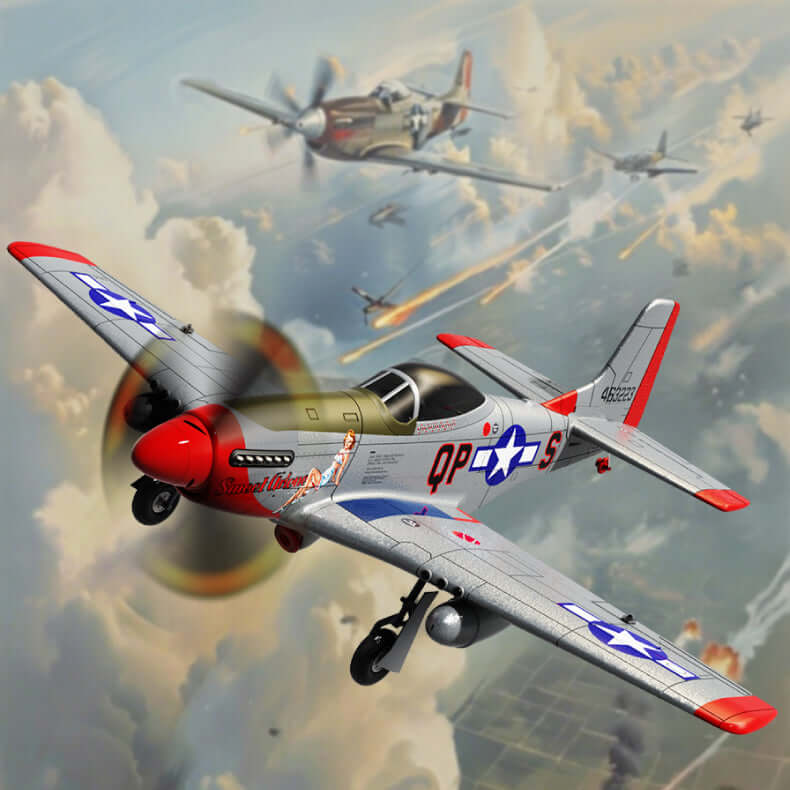


MOFLY P-51D 690mm Brushless RC Warbird, Optional FPV Camera & Phone Mount
HURRY! ONLY 250 LEFT IN STOCK.
98% customer buy 3-5 items to use daily and gifts for their beloved one
People are viewing right now
Sale ending in 13 08



HURRY! ONLY 250 LEFT IN STOCK.
98% customer buy 3-5 items to use daily and gifts for their beloved one
People are viewing right now
Sale ending in
Authentic “Sweet Arlene” P-51D Mustang scale warbird made from tough EPP foam. Brushless power, 3 flight modes (6G/3D/Manual) and optional Wi-Fi FPV for first-person viewing.


Built-in HD wide-angle camera with Wi-Fi real-time image transmission to your smartphone.
Includes dedicated phone mount on the transmitter for immersive FPV.
Perfect for scenic flights, line-of-sight + first-person training, and sharing footage.
Battery Configuration (select on product page):
1 Battery (7.4V 1300mAh 20C)
2 Batteries
3 Batteries
Same airframe, brushless power and flight modes—no camera and no phone mount.
Best choice if you prefer classic LOS flying or plan to add your own gear later.
Battery Configuration (select on product page):
1 Battery (7.4V 1300mAh 20C)
2 Batteries
3 Batteries
Wingspan: 685 mm / 27 in
Length: 590 mm / 23 in
Empty Weight: ≈230 g
Motor: Brushless 2204 2300KV
ESC: 16A
Servings: 3.7 g × 4
Battery: 7.4V 1300mAh 20C Li-ion/Li-po
Flight Time: ≈25 minutes (per battery, conditions dependent)
Radio: MO-FLY 2.4GHz, 10 channels
Material: EPP foam, impact-resistant
FPV Camera Version
P-51D airplane (assembled), landing gear set, 3-blade prop + spinner
HD FPV camera, phone mount, MO-FLY 2.4GHz transmitter
USB charger, screwdriver, screws, battery (quantity per your selection)
Non-Camera Version
P-51D airplane (assembled), landing gear set, 3-blade prop + spinner
MO-FLY 2.4GHz transmitter
USB charger, screwdriver, screws, battery (quantity per your selection)
(If you need a BNF/body-only kit, contact us—MO-FLY system supports SBUS/DSM.)
6G Stabilized: easy takeoff, automatic leveling—ideal for first flights.
3D Mode: higher control rates for crisp aerobatics.
Manual Mode: full authority for experienced pilots.
New pilots seeking a beginner-friendly warbird with gyro assistance.
Intermediate/advanced fliers wanting brushless power and scale looks.
FPV fans who want optional Wi-Fi first-person view without complex setup.
In Settings › [MoFly P-51 app], enable Photos (All Photos), Local Network, and Files.
Disable iPhone Auto-Lock while recording (or use Guided Access) so the phone doesn’t sleep.
After landing, tap Stop Recording and wait 5–10s before closing the app or powering off (this finalizes the file).
Try Save to Phone vs Save to microSD and test a short clip.
Use a quality U1/U3 microSD (8–64 GB).
Format: FAT32 (≤32 GB) or exFAT (64 GB).
If files are empty/corrupt: re-format the card, or test another known-good card.
Usually caused by the iPhone lock screen. Turn off Auto-Lock (or use Guided Access) before recording.
Yes. iOS Screen Recording reliably captures the app preview into your Photos as a backup.
The transmitter supports Mode 1 / Mode 2. Use the mode switch per the manual to toggle. (Most users fly Mode 2.)
Follow the labels in the transmitter diagram. Quick check:
Tap a trim and see which surface moves: tail up/down = elevator, tail left/right = rudder, wings opposite = aileron.
Trim 2–3 clicks at a time in calm air, re-test, repeat.
A small built-in right/down thrust angle is normal on the MoFly P-51D.
If it still flies straight and there’s no strong vibration, no fix is required.
Spin the prop by hand—if the tip wobbles, try a new propeller first.
Re-seat the spinner/prop hub fully on the shaft.
Strong vibration after a bump may indicate a bent prop or shaft.
Yes. Remove spinner & prop, then the front screws.
Check the plastic mount/firewall; re-seat squarely and tighten.
Do not pull by the wires. If foam shifted, warm gently with a hair dryer and press back.
iOS version, app version, microSD brand/capacity, a short video of the issue, and a front photo of the nose/motor area.